
From guest Wi-Fi and home working to CCTV and smart-home controls, a modern home network needs the same early consideration as the other infrastructure within your property.
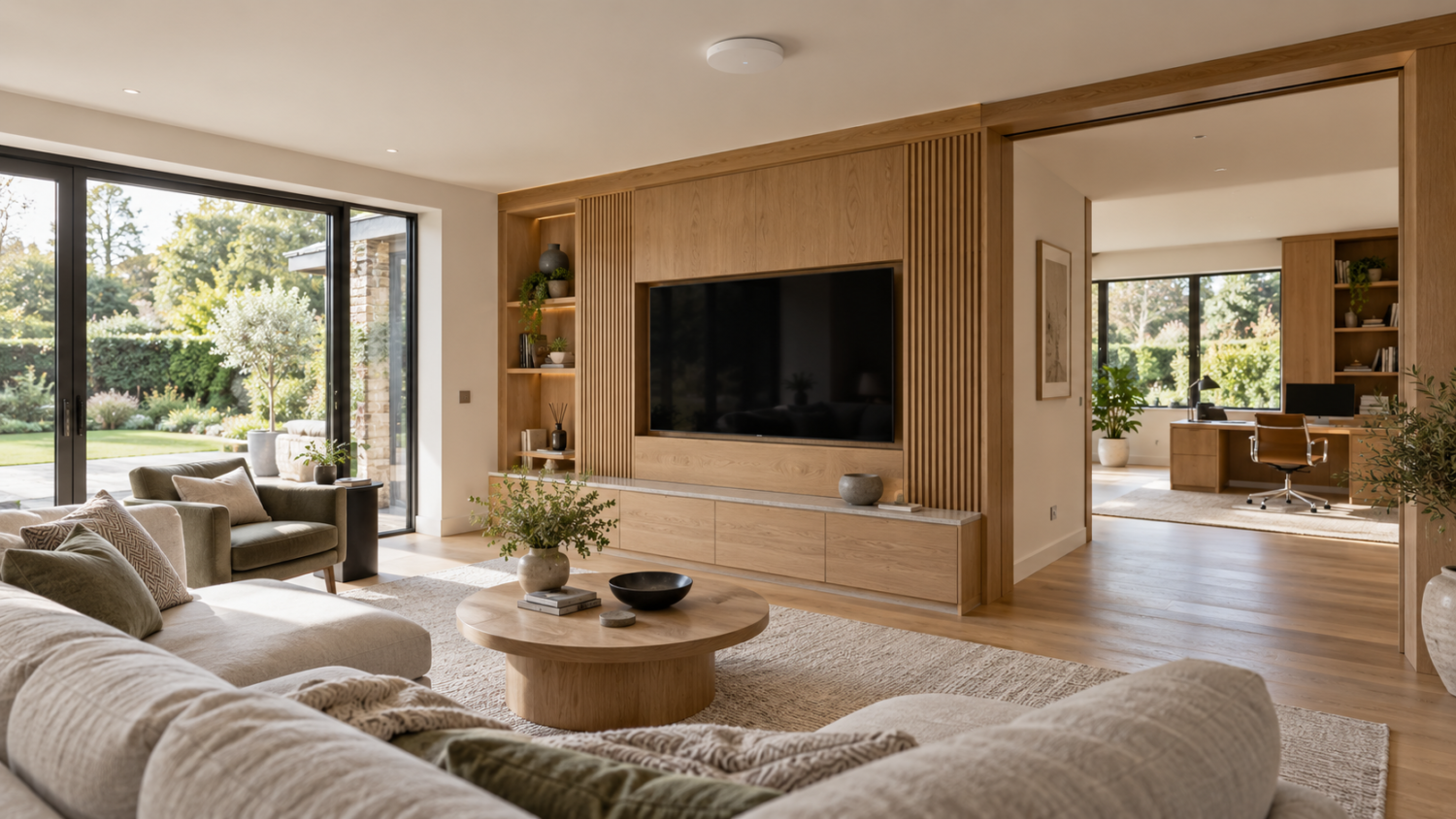
Reliable connectivity starts with infrastructure designed around the home.
There was a time when the home network had a relatively simple job: provide an internet connection to a few computers.
That has changed.
In today’s high-end homes, the network can support televisions, streaming, multi-room audio, CCTV, lighting controls, heating, access control, home working and a growing number of connected devices.
Yet during new-build and refurbishment projects, we still regularly see the network treated as an afterthought.
A modern home network deserves to be planned as part of the building’s infrastructure, with the cabling, equipment and configuration considered together from the outset.
Guest Wi-Fi should have its own space
Giving friends, family or contractors access to your Wi-Fi shouldn’t necessarily mean putting their devices onto the same network as your own equipment.
On a flat home network, connected devices may be able to discover or interact with other services around the property. These could include a Sonos system, smart TVs, shared storage or other connected technology, depending on how those devices are configured.
A properly designed home network can separate these services using VLANs, or Virtual Local Area Networks.
For example, a home could have separate networks for:
- Personal devices
- Guest Wi-Fi
- CCTV and security
- AV and entertainment
- Smart-home and IoT equipment
- Home office equipment
Not every property needs all six. The right arrangement depends on the equipment in the home and how it needs to be used.
VLANs provide the separation; carefully configured firewall rules control communication between those networks. Simply creating VLANs does not, by itself, prevent access between them.
For the homeowner, everyday use can remain seamless. Behind the scenes, the network is configured so devices can access the systems they need, while unnecessary access is restricted. That includes planning for functions such as casting to a television or controlling multi-room audio.
A modern home network starts with the right equipment
Network segregation requires equipment capable of supporting it.
A modern high-end home needs the right networking equipment. This typically includes a suitable router, firewall and managed network switches. Professionally positioned Wi-Fi access points also provide reliable coverage. These can support multiple wireless networks (SSIDs) and VLANs.
The equipment should work as a coordinated system. Access point locations, coverage and configuration all need to reflect the property’s layout, construction and intended use.
But good home network design starts even earlier than that.
Plan structured cabling before the walls close
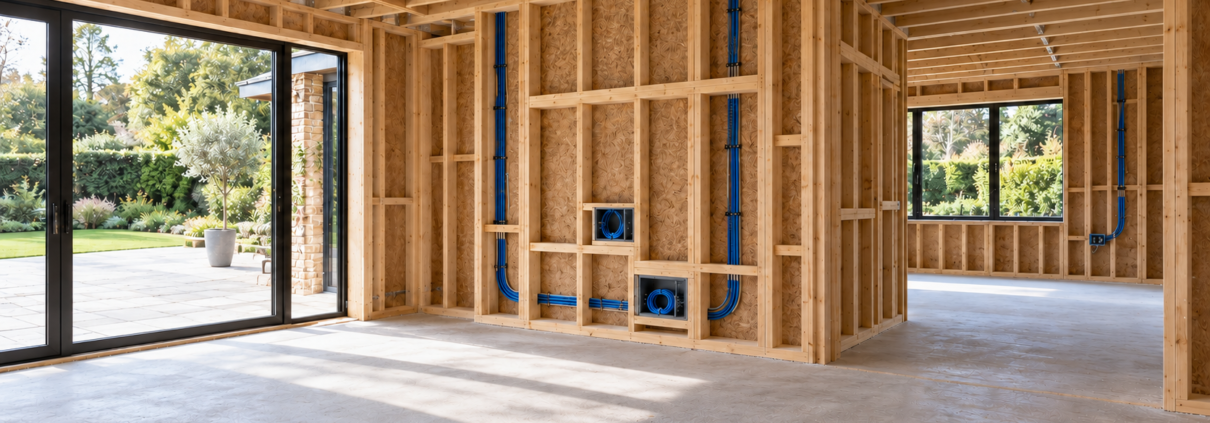
Plan data cabling and outlet positions before walls and ceilings are finished.
One issue we repeatedly encounter on new-build and refurbishment projects is insufficient structured cabling.
Once walls and ceilings have been finished, discovering there isn’t a data outlet behind a television, at an AV position, beside a CCTV camera or in the right location for a Wi-Fi access point becomes considerably more difficult and expensive to rectify.
Although wireless technology offers excellent flexibility, it cannot replace properly planned wired infrastructure. Therefore, structured cabling remains an essential part of modern home network design.
Where practical, fixed devices such as televisions, AV equipment, CCTV cameras, desktop computers and Wi-Fi access points should have appropriate wired connectivity available.
Planning these connections early gives the design and construction teams an opportunity to coordinate cable routes, outlet positions and the space needed for network equipment.
Design your home network for what comes next
The technology in a home will change. A spare bedroom may become a home office. An entertainment system may expand. New cameras or smart-home controls may be added.
That is why we believe infrastructure should be designed around both what the homeowner needs today and what the property is likely to require in the future.
Considering additional outlets, accessible cable routes and capacity for future equipment during the build can make later changes easier to accommodate.
Technology that disappears into the home
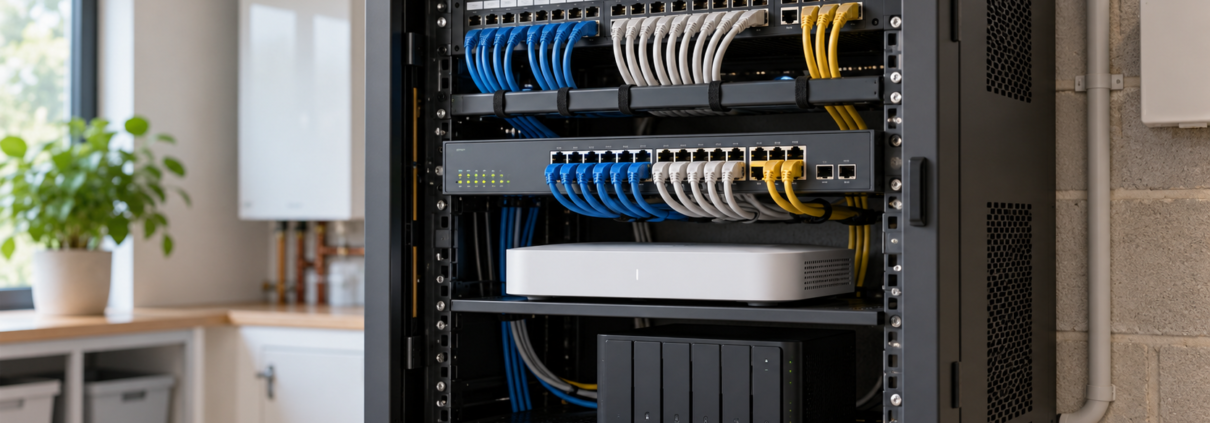
The equipment behind the scenes should work as one coordinated system.
At Intes, our approach is to consider the home network as part of the property’s underlying infrastructure.
We design and deliver structured cabling, fibre infrastructure where appropriate, network switching, Wi-Fi and configuration as one coordinated solution.
The homeowner shouldn’t need to understand VLANs, switching architecture or wireless design.
They should simply have a fast, secure and reliable network that works throughout their home, and is designed to support their technology as it evolves.
Planning a new-build or refurbishment?
Our experience delivering technology infrastructure for developments such as Holland Park Gate a super-prime residential development by Lodha, has reinforced the importance of considering structured cabling, fibre connectivity, network switching and security systems as part of the overall building design.
We bring this same approach to individual high-end residential properties, ensuring technology infrastructure is carefully planned, coordinated with the wider project and designed for long-term reliability.
Whether you are building a new home or refurbishing an existing property, involving Intes early helps ensure your modern home network supports the way you live today and can adapt as your needs evolve.
Speak to us about your home network.